

Download ChatShell: Export ChatGPT to PDF, DOCX & Markdown
Cara Install Ekstensi Chrome
- Klik tombol "Add to Chrome" di atas.
- Anda akan diarahkan ke Chrome Web Store.
- Klik "Add to Chrome" pada halaman ekstensi.
- Konfirmasi dengan klik "Add Extension" pada popup.
- Ekstensi akan otomatis terpasang dan ikon muncul di toolbar.
- Klik ikon ekstensi di toolbar untuk mulai menggunakan.
Screenshot
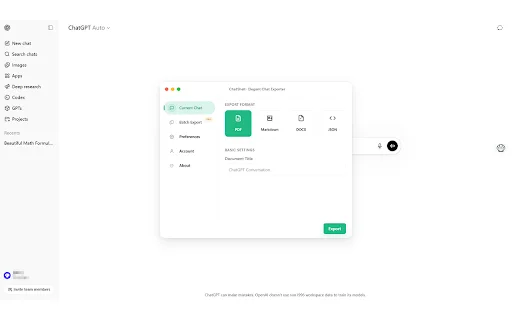
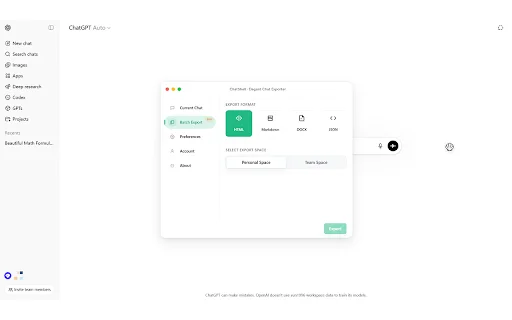
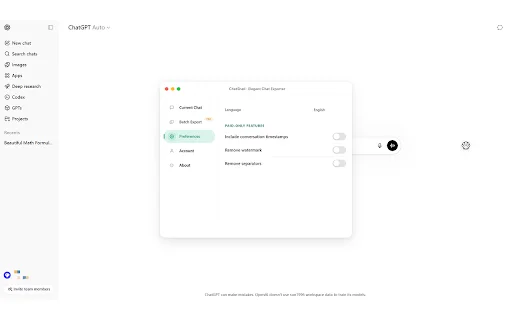
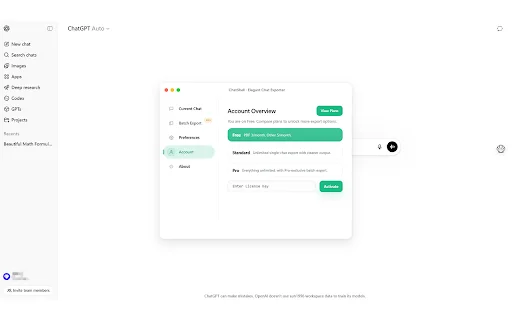
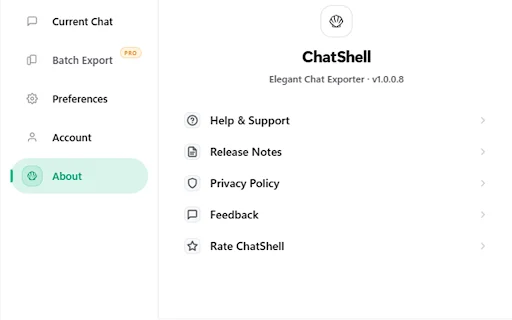
Are you tired of manually copying and pasting your ChatGPT conversations into documents? Whether you are a developer, a student, or a professional researcher, keeping track of AI-generated insights is essential for productivity. ChatShell is the ultimate browser extension designed to help you instantly save, archive, and organize your ChatGPT history with just a single click.
Unlike other tools that require you to upload your sensitive data to external servers, ChatShell processes everything locally in your browser. This ensures your private discussions remain secure while allowing you to export them into versatile formats like PDF, DOCX, Markdown, JSON, and HTML. Experience a seamless workflow that turns your AI interactions into professional, editable documents in seconds.
Key Features
- One-click export for any active ChatGPT conversation.
- Batch export multiple conversations simultaneously for maximum efficiency.
- Support for professional formats: PDF, DOCX, Markdown, JSON, and HTML.
- Strict local-only processing ensuring your data never leaves your device.
- Preserves complex formatting including LaTeX math, code blocks, and tables.
- Team Workspace support for collaborative project management.
- User-friendly interface designed for daily professional use.
How to Use
- Install the ChatShell extension from the browser store.
- Open your ChatGPT conversation that you wish to export.
- Click the ChatShell icon in your browser toolbar.
- Select your preferred file format and click “Export” to save the file directly to your computer.
FAQ
Is my data uploaded to developer servers?
No, ChatShell processes all data locally on your machine to ensure complete privacy.
What formats are supported for export?
You can export chats to PDF, DOCX, Markdown, JSON, and HTML.
Can I export multiple conversations at once?
Yes, the Pro version supports batch exporting of multiple threads at once.
Does this extension work with Team Workspaces?
Yes, ChatShell includes specific support for Team Workspace exports in the Pro version.
Is ChatShell affiliated with OpenAI?
No, ChatShell is an independent tool and is not affiliated with or endorsed by OpenAI.
Stop wasting time on manual formatting. Join hundreds of satisfied users and take control of your AI workflow today. Download ChatShell now and start archiving your valuable insights effortlessly!
Users highly recommend ChatShell for its simplicity and efficiency, noting that it eliminates the need for tedious manual copying while providing powerful, free export features.
Kelebihan
- Simple and easy to use
- Powerful free features
- Excellent Markdown export support
- Saves significant time
Ulasan Pengguna
Very easy to use and concise. The free features are already very powerful. It is especially useful that I no longer have to copy and paste one by one. Exporting to Markdown format is very convenient, and the functionality is simple, easy to understand, and practical. It is a great plugin.
| ID Ekstensi | cgbbhkffpjedcannkmgldlfkolppodnh |
|---|---|
| Version | 1.0.0.18 |
| Size | 4.0 MB |
| Developer | https://chatshellexport.com |
| Terakhir Diperbarui | |
| Tanggal Rilis | |
| Jumlah Pengguna | 1.000++ |
| Jumlah Ulasan | 1 |
| Chrome Store Ranking | #32451 |
| Category | Productivity |
| Tipe | Paid |

E Claim (Jyothy Labs) ডাউনলোড করুন – সেরা এমপ্লয়ি এক্সপেন্স ম্যানেজমেন্ট অ্যাপ
Jyothy Labs Limited (JLL)

YouFocus ডাউনলোড করুন – ইউটিউব ডিস্ট্রাকশন দূর করে প্রোডাক্টিভিটি বাড়ান
FreoLeo

Write It: Humanizer and Auto Typer ডাউনলোড করুন – AI রাইটিং টুল
https://write-it.us

Boloo Buddy ডাউনলোড করুন – Bol.com-এ ব্যবসার সেরা টুল
https://boloo.co/

Chrome Backup & Restore ডাউনলোড করুন – ব্রাউজার ডেটা ব্যাকআপ নিন
https://sites.google.com/view/litex-tools/

Assima Train ডাউনলোড করুন – ব্রাউজার সিমুলেশন টুল
Assima